Protect sensitive content
Choose how messages, documents and spoken conversations are protected between participants.
Encrypted messages, files, voice and video for staff and external participants. Start with one useful workflow and a pilot shaped around your organization.
For defined one-to-one and guest communication workflows.
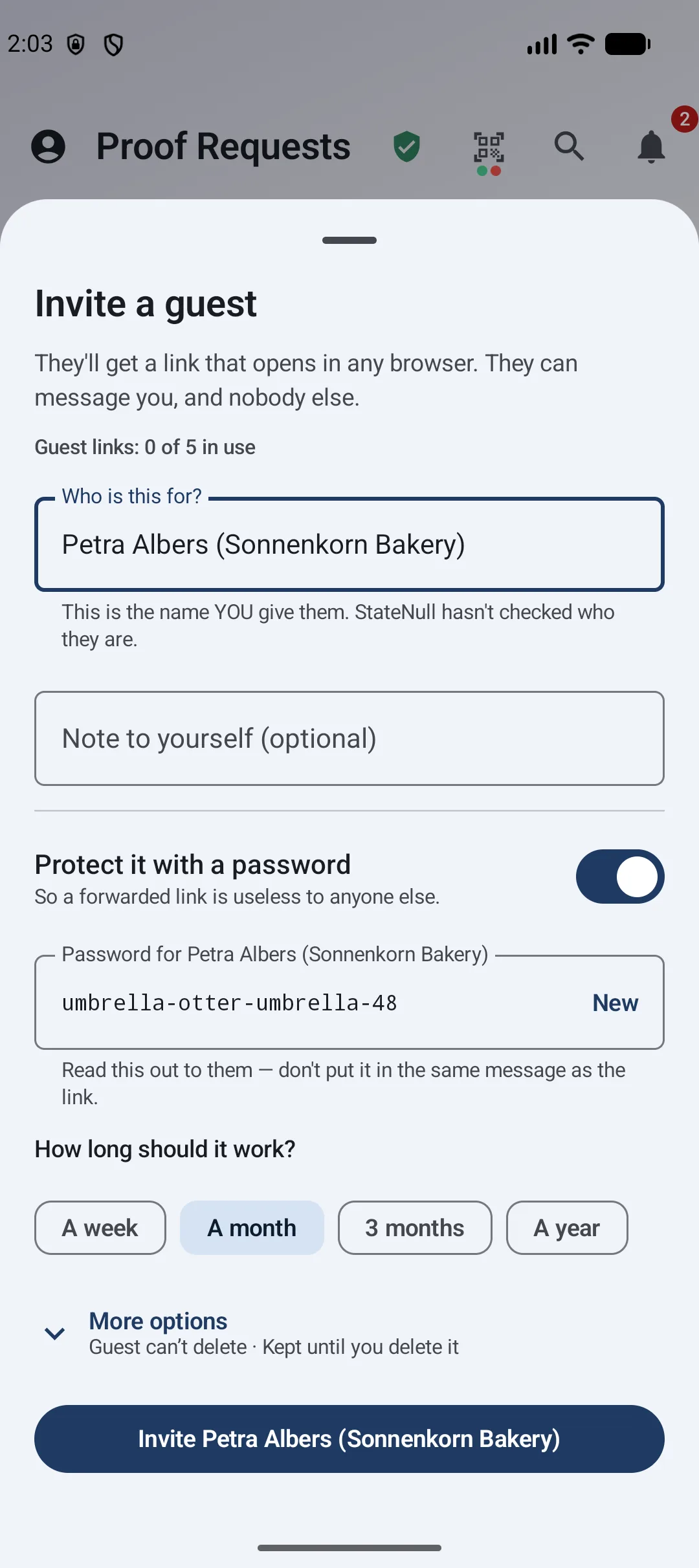
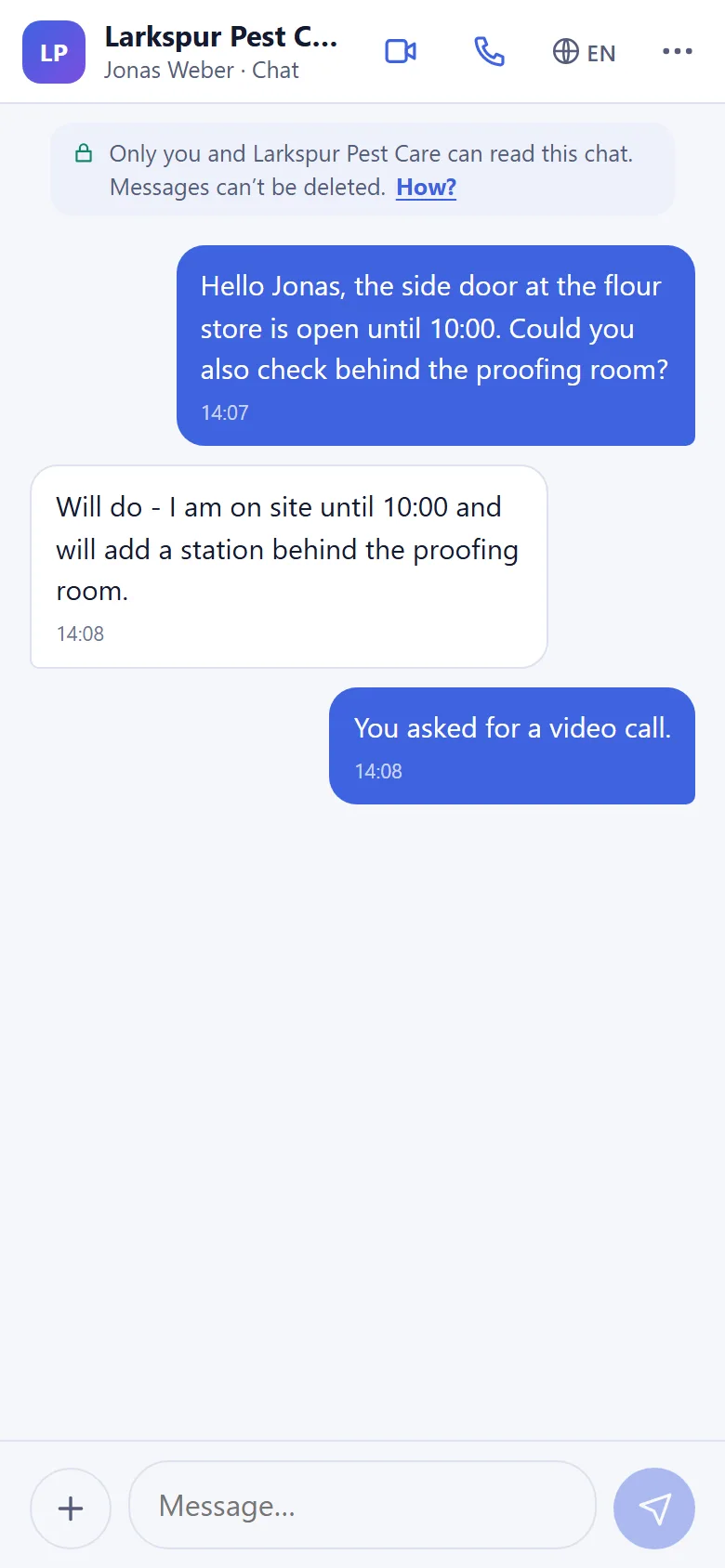
Choosing a communication service means understanding the content, the participants and the way the service operates.
Choose how messages, documents and spoken conversations are protected between participants.
Make it practical for clients, partners and other invited people to join a conversation.
Understand who an invitation reaches, how long it works and how further access ends.
Ask precise questions about hosting, identity, metadata, retention and support.
Public-sector demand reflects these needs: Canada’s encrypted communications programme ↗ and Germany’s BundesMessenger ↗ emphasize protection and organizational control. Market examples; no StateNull customer relationship or endorsement is implied.
Choose where your work lives. Show how a record was made. Give clients and reviewers a clear way to check what they receive.
Use supported hosted, dedicated or customer-operated deployment. Route records to configured storage such as S3, SFTP, SMB or Nextcloud, and keep deployment choices connected to your organization’s needs.
Deployment, storage and integration options depend on your plan and configuration. Review service dependencies and processing locations for your chosen setup.
Explore deployment choicesSigned capture records, file fingerprints and recorded review history help people assess origin and spot later changes. Proof Requests distinguish capture and upload channels; Trust-E keeps signed agreements with the case.
A valid record supports origin and integrity checks. It does not establish that a depicted event is true or provide automatic deepfake detection.
See Proof RequestsBring capture details, signatures, time records and case history together. Export supported evidence and eligible JPEGs with embedded C2PA Content Credentials so recipients can inspect provenance beyond StateNull.
C2PA export depends on the supported client, format and available signing certificate. External signature validity and trust in the signer are separate checks.
Check a recordSupported messages, shared files and call media use end-to-end encryption. For AI-assisted work, connect your own provider or a model on your local network, with an explicit choice of where the submitted material is processed.
The service still handles operational metadata. A selected AI provider receives the inputs sent to it. These features are distinct from server-side confidential computing.
Understand the privacy modelBring your hosting, communication and evidence requirements. We will map them to the supported configuration.
Discuss your requirementsStateNull offers supported hosted, dedicated and customer-operated deployment choices, plus configured destinations for your records. Hosting location, provider jurisdiction and external service dependencies are separate considerations. StateNull is operated by R-ESM LLC, a US company; choosing EU hosting does not change that operator jurisdiction.
StateNull helps reviewers inspect signed records, capture or upload origin, later file changes and recorded decisions. This supports evidence review; it does not determine whether every claim is true, detect every deepfake or make location spoofing impossible.
Supported records contain signed integrity and provenance information. StateNull provides verification and evidence export paths; eligible JPEG exports can also carry embedded C2PA Content Credentials. Formats and client support differ. A valid signature does not automatically mean an external verifier trusts the issuing certificate.
StateNull protects supported communication with client-side encryption and uses Android Keystore for device-key protection, with hardware backing where supported. Customers can connect their own AI provider or a local-network model. These are distinct from server-side confidential computing: StateNull does not currently claim an attested confidential-server deployment.
The local-network option connects the app to a model running on the customer’s network. It does not mean the model runs on the phone. For a third-party AI provider, that provider receives the selected inputs sent to it.
Review the supported clients, identity and recovery controls, hosting and backup locations, call and notification dependencies, AI processors, retention settings and export needs for the selected configuration. Ask StateNull to demonstrate the workflow and deployment you intend to use.
Capabilities vary by client, plan and deployment. These descriptions explain product functions; they are not certification or independent-audit claims.
Explore routine staff-to-external conversations, document exchange and scheduled discussions through guest invitations.
Give an invited person a private channel for questions, files and supported voice or video conversations.
Evaluate a specific workflow with supported browsers and released app versions.
See the existing product demo ↗Encrypted conversations between participants.
Documents, photos and supported files.
Encrypted call media on supported clients.
External access with expiry and revocation.
Agree what the pilot needs to demonstrate before you begin.
Choose the participants, information sensitivity and conversation you want to improve.
Confirm devices, hosting, identity, retention, support and required security documentation.
Check invitation access, messages, files and calls against agreed acceptance criteria.
Understand what is protected and what information the service still needs to operate.
Messages, shared files and supported call media use end-to-end encryption. StateNull still processes operational metadata, including participants and connection times.
No. For guest conversations, the invited person can use a supported browser without installing an app or creating an account. Browser, device and service limits apply.
You can set an expiry or revoke the guest link. That stops further access through the link. Retention is managed separately; revocation cannot remove copies already saved by a participant.
Use the currently supported browsers and released app versions. Check your required devices before a rollout. Group-chat readiness and feature availability across clients require a separate review.
Review hosting, identity, retention, support and security documentation for your intended use. SSO and self-hosted deployment require an agreed configuration and acceptance review. StateNull is not independently security-audited today.
Explore whether StateNull fits one specific workflow in your organization.
SSO and self-hosted deployment require a defined configuration and acceptance review.